Astervis Docs

License

Get and manage your Astervis license key

Your license key activates Astervis on your server and links it to your subscription.

Getting Your License Key

After subscribing, your license key is available immediately.

Find Your License

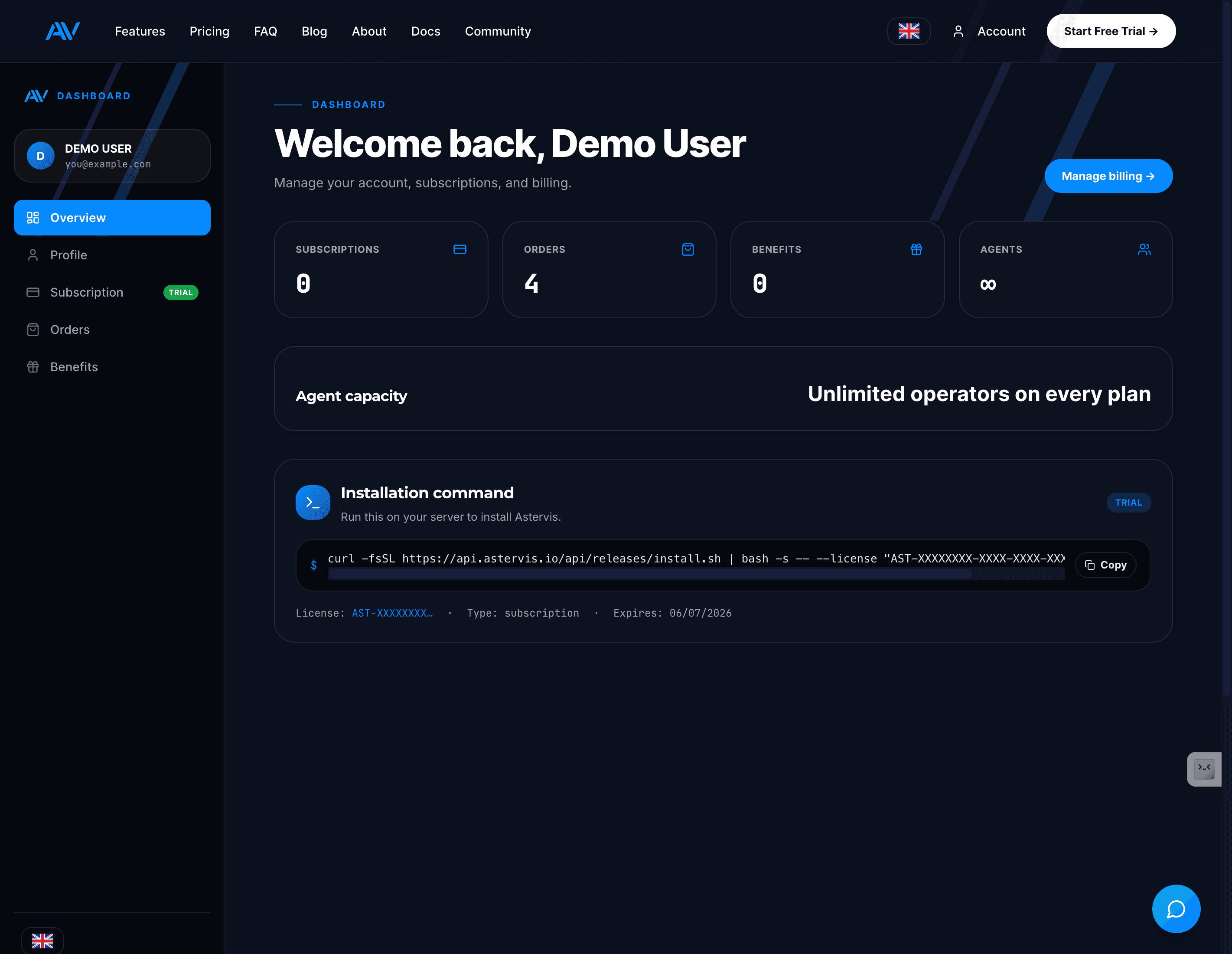
On the Overview tab, look for the Installation Command section.

Your license key is shown partially masked:

AST-XXXX-XXXX-XXXX-XXXX

Copy Installation Command

Click the Copy button to copy the full installation command with your license key.

curl -fsSL https://api.astervis.io/api/releases/install.sh | bash -s -- --license "AST-XXXX-XXXX-XXXX-XXXX"

License States

StateMeaning
ProcessingLicense is being generated (usually seconds)
ActiveLicense is ready to use
TrialActive trial period
ExpiredSubscription ended

Processing State

If you see "License Processing" after purchase:

  1. Wait a few seconds
  2. Click Refresh on the page
  3. License should appear

License generation usually takes just a few seconds after payment.

License Binding

Your license is bound to one server at a time.

How It Works

  1. When you run the installer, it creates a unique server fingerprint
  2. This fingerprint is linked to your license
  3. The license can only be used on that server

Why Binding?

  • Prevents unauthorized sharing
  • Ensures one subscription = one installation
  • Protects your investment

Moving to a New Server

Need to migrate Astervis to a different server?

Request Reset

Contact support to reset your server binding:

  • Email: support@astervis.io
  • Subject: License Server Reset
  • Include: Your license key prefix (AST-XXXX-...)

Wait for Confirmation

Support will reset the binding within 24 hours.

Install on New Server

Run the installation command on your new server.

The license will now bind to the new server.

The old server will no longer be able to use the license after reset.

License Limits

Operator Limit

Your license includes a specific number of operators based on your plan:

PlanIncluded Operators
Starter10
Professional50
Business200
EnterpriseUnlimited

If you purchase extra operators, your limit increases automatically.

Checking Your Limit

View your current usage and limit:

  1. Go to AccountOverview
  2. Find Agent Usage section
  3. See current / maximum operators

Exceeding Limit

If your Astervis installation detects more operators than your license allows:

  1. Dashboard shows a warning
  2. New operators may be blocked
  3. Purchase extra operators or upgrade plan

License Expiration

Subscription Ended

If your subscription expires:

  1. License becomes invalid
  2. Astervis stops syncing new data
  3. Dashboard becomes read-only
  4. Existing data remains accessible

Grace Period

After expiration, there's a 7-day grace period:

  • Astervis continues working
  • You receive reminder emails
  • Renew to continue without interruption

After Grace Period

  • Data sync stops completely
  • Dashboard shows license expired message
  • Data retained for 30 days

Offline Mode

Astervis can work temporarily without internet connection.

How It Works

  • License is validated periodically (every 24 hours)
  • If internet is unavailable, offline grace period starts
  • 7 days of offline operation allowed

Requirements

  • License must be valid before going offline
  • Server fingerprint must match
  • Re-validates when internet returns

Troubleshooting

License Invalid

Problem: Installer says license is invalid

Solutions:

  1. Check for typos in license key
  2. Verify subscription is active
  3. Ensure license isn't bound to another server

License Expired

Problem: Dashboard shows license expired

Solutions:

  1. Check subscription status in account
  2. Update payment method if payment failed
  3. Renew subscription

Server Mismatch

Problem: License bound to different server

Solutions:

  1. Contact support for server reset
  2. Wait for reset confirmation
  3. Reinstall on correct server

Security

Protect Your License

  • Don't share your license key publicly
  • Don't include in public repositories
  • Store securely like a password

If Compromised

If you believe your license key was exposed:

  1. Contact support immediately
  2. We'll invalidate the old license
  3. Issue a new license key

Questions?